
The fixes are free, Pro is $3 per seat per month
Start with the core toolkit, upgrade when your team needs more. Pro adds the relationship summary today, and every Pro feature we ship next.
Pro is free with an account during the beta. There is nothing to buy yet: buying opens when the beta ends.
What it looks like in ClickUp
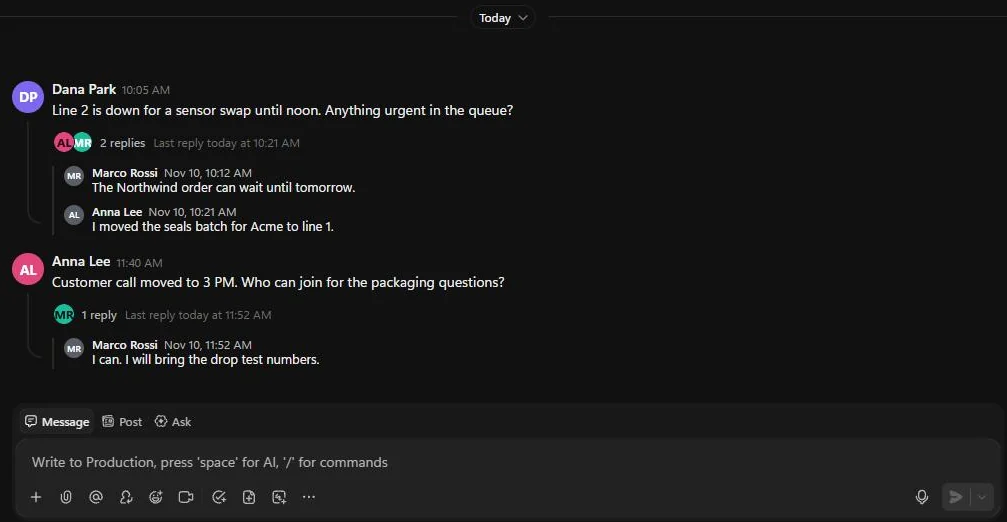
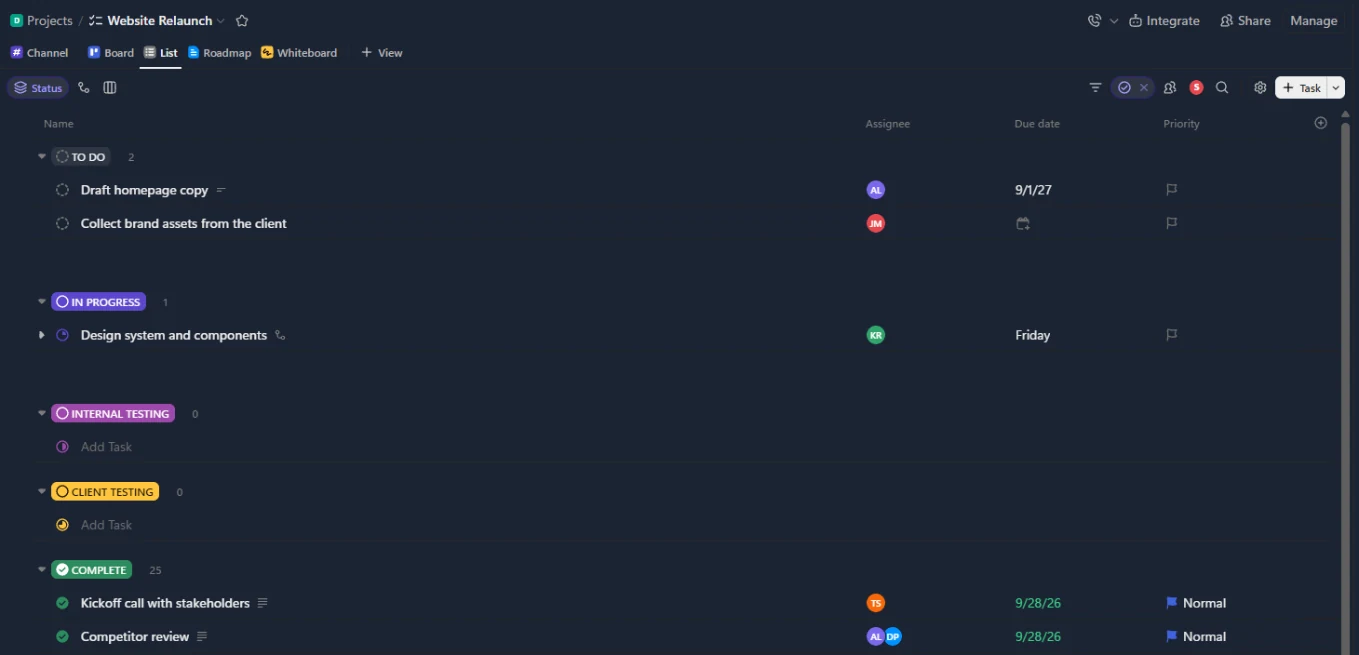
Open on top. Closed out of the way.
Every relationship table splits into Open and Closed groups. Collapse the closed ones and sort any column.
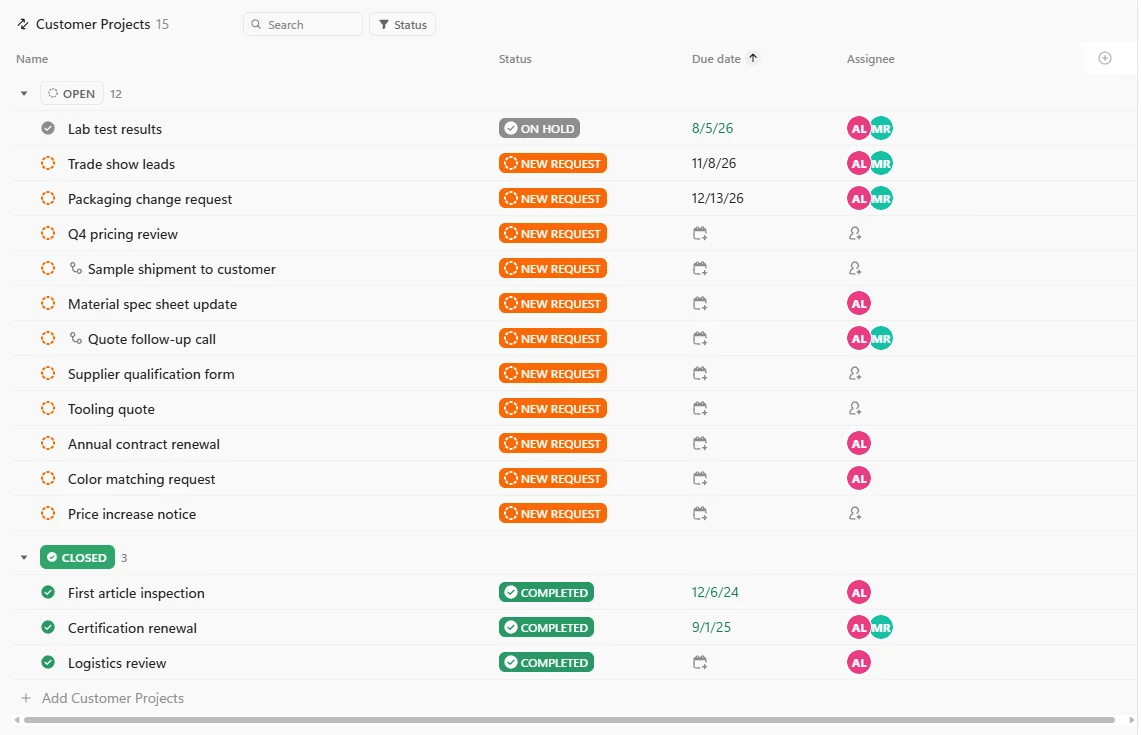
Filter any column
Due date, status, assignee or any custom field. Counts show what each choice leaves before you click.
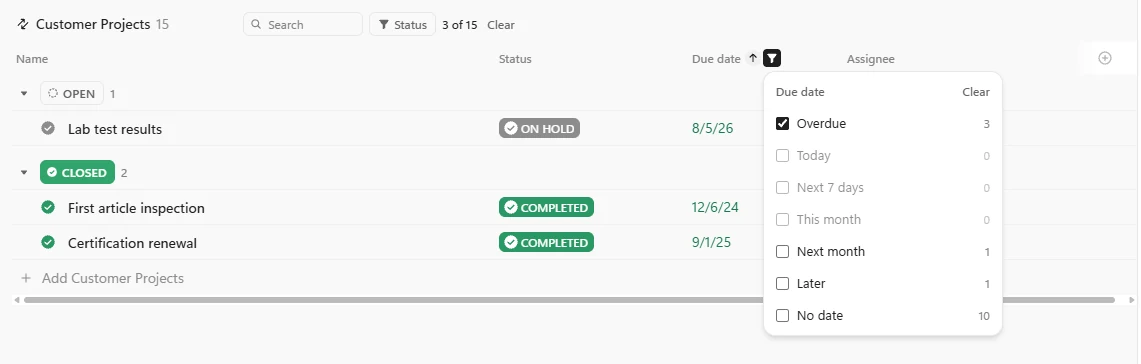
How far along, at a glance
A progress bar and a count per status above every relationship table, and a CSV export of the rows you see.
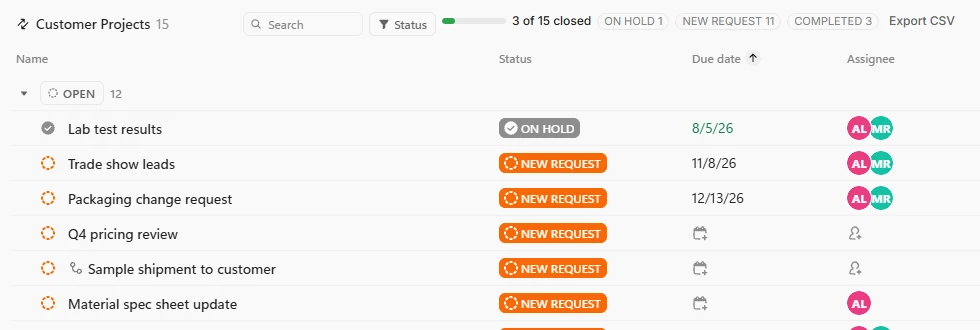
Replies without opening the thread
Every reply sits right under its task comment. Nothing is opened, and nothing is marked as read.
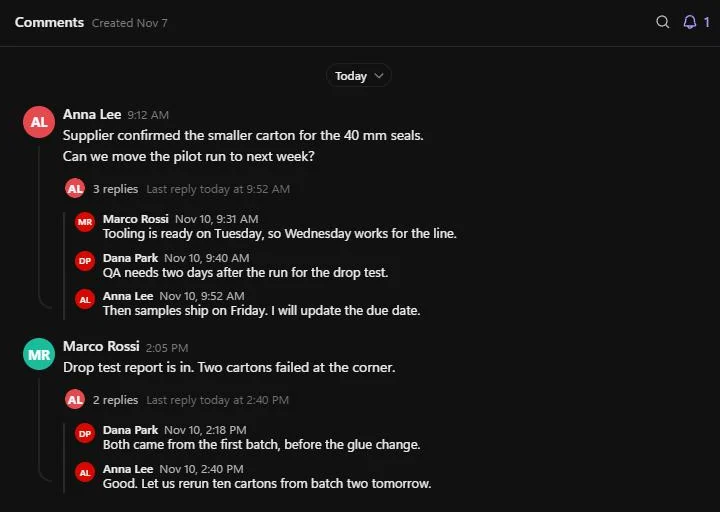
The same in chat
Replies under each message in channels and direct messages, so a conversation reads in one pass.
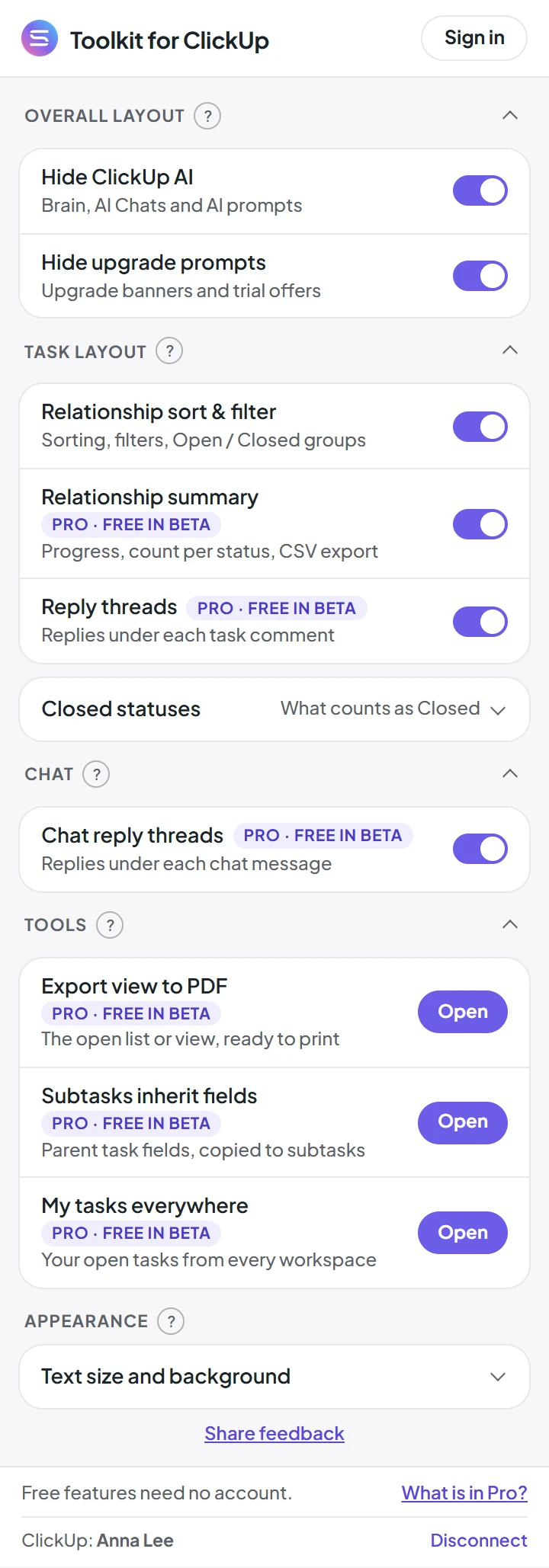
Every feature has its own switch
Turn on only what you want. New features start switched off, and nothing in ClickUp changes unless you ask.
Your colours. Less clutter.
Twelve background presets that follow ClickUp's light or dark theme, text size from 80 to 125 %, and no AI or upgrade prompts.
One plan, priced per person, billed yearly or monthly
- Relationship sort & filter: sorting, filters and Open / Closed groups in every relationship table
- Hide ClickUp AI: ClickUp AI buttons and prompts out of the way
- Hide upgrade prompts: no upgrade banners or trial offers
- Appearance: text size from 80 to 125 % and your own background colour
- Every switch in the toolbar popup, new features off until you turn them on
- Everything in Free
- Relationship summary: progress, count per status and CSV export of the rows you see. Free for everyone during the beta
- Reply threads: replies shown under each task comment, without opening the thread. Free for everyone during the beta
- Chat reply threads: replies shown under each chat message, without opening the thread. Free for everyone during the beta
- Export view to PDF: the tasks of a list or view as a clean, printable PDF. Free for everyone during the beta
- Subtasks inherit fields: the custom fields of a parent task copied to its subtasks in one click. Free for everyone during the beta
- My tasks everywhere: your open tasks from every workspace on one page. Free for everyone during the beta
- Descriptions in List view: the start of each task description next to its name, without hovering. Free for everyone during the beta
- Subtasks to checklist: subtasks turned into checklist items on their task, assignees included. Free for everyone during the beta
- New comment marks: a dot on every task that was commented since you last opened it. Free for everyone during the beta
- Filter formula: filters written with and, or, not and brackets, saved into a ClickUp view. Free for everyone during the beta
- Every Pro feature we add, at the same price
Nothing to pay during the beta Pro is free with an account. Buying opens when the beta ends.
Buying for a team takes three steps
-
Pick the number of seats
One seat is one person. You can add or remove seats later, billing follows.
-
Add people by email
Each person gets an email with the install link. Nobody else sees billing.
-
They sign in, that is it
Signing in with that address turns Pro on. No invitation to accept.
Questions people ask before they pay
Will the free features stop working if I never pay?
No. They stay free. Pro only adds features on top.
What happens when the 14 days end?
Your card is charged for the seats you picked. Cancel before day 15 and you pay nothing.
Someone left the team. Do I lose their seat?
No. Move the seat to another email in your account. The new person signs in and has Pro.
Does my ClickUp data leave my browser?
No. The extension rearranges what is already on the page. We store your account details and whether your seat is active.